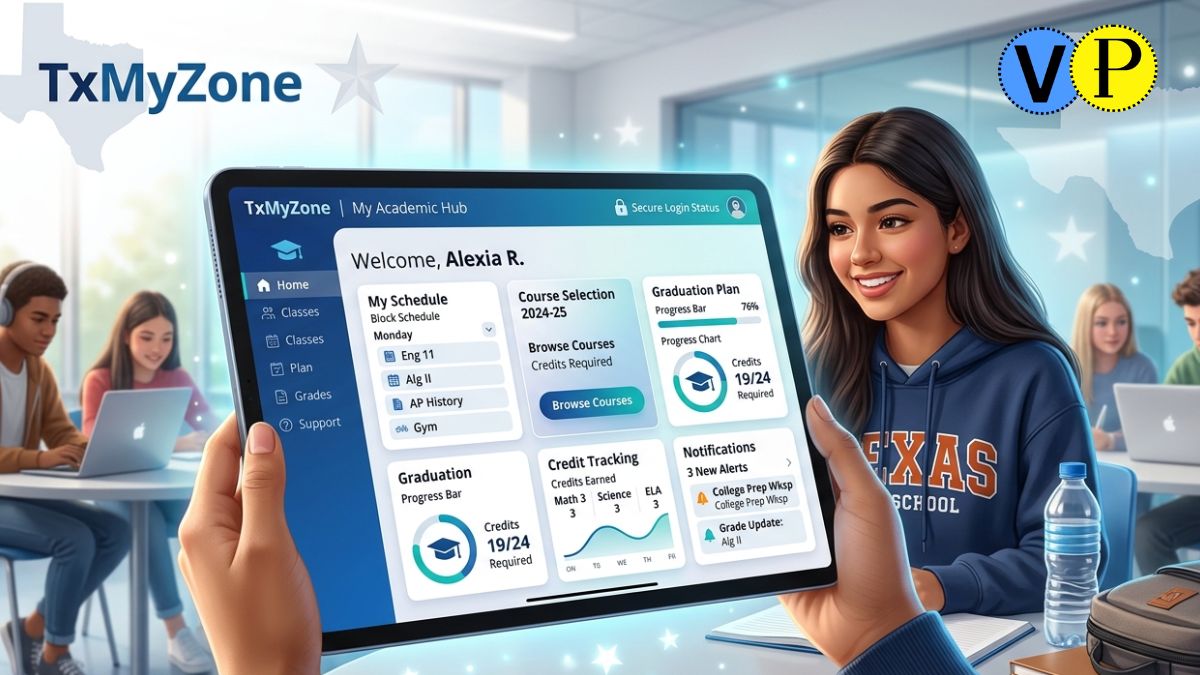
You typed “TxMyZone” into Google and landed on articles calling it an employee benefits portal, a fitness tracker, a networking app, or some vague “digital workspace.” Almost all of them got it completely wrong. Here is the truth, backed by actual school district records, official TxEIS documentation, and real login portals used by Texas students today.
TxMyZone is a student-facing academic portal part of the Texas Education Information System (TxEIS)used by public school students across Texas to request courses, track graduation progress, view schedules, and manage their academic life digitally. That is what it is. Nothing else.
What Is TxMyZone? The Real Answer
TxMyZone is a secure, web-based portal where enrolled students at participating Texas public school districts can log in, pick their classes for the upcoming school year, review their graduation plan, check their credit progress, and access campus messages all from a single digital dashboard.
It is not an employee benefits system. It is not a fitness platform (that would be Myzone, a completely separate product). Also, it is not a networking app or productivity tool. It is a K-12 educational tool built specifically for Texas public school students.
The name makes sense once you understand the TxEIS naming convention: Tx for Texas, My for the personalized student-facing nature, and Zone for the dedicated digital space each student gets.
Where Does TxMyZone Fit Inside TxEIS?
To understand TxMyZone fully, you need to understand TxEIS first because TxMyZone is just one piece of a larger ecosystem.
TxEIS (Texas Education Information System) is a comprehensive suite of school management software used by Texas public school districts. Of approximately 1,250 local education agencies (LEAs) in Texas, over 850 use TxEIS, making it one of the most widely adopted school information systems in the entire state.
Here is how the TxEIS family of tools breaks down:
| Tool | Who Uses It | Primary Function |
|---|---|---|
| TxEIS Student | Administrators | Entering grades, tracking assignments, and managing class rosters |
| TxEIS Business | District finance teams | Payroll, budgeting, HR administration |
| txGradebook | Teachers | Course requests, graduation plan, schedule, and credit tracking |
| txConnect | Parents | Viewing their child’s grades, attendance, and school communications |
| txMyZone | Students | Course requests, graduation plan, schedule, credit tracking |
| Employee Access | School staff | HR self-service, pay stubs, leave requests |
TxMyZone sits at the student end of this ecosystem. Think of TxEIS as the engine running quietly in the background, and TxMyZone as the dashboard that students actually open, interact with, and use day to day.
Who Uses TxMyZone?
Only students enrolled in Texas public school districts that have adopted TxEIS can access TxMyZone. It is not a statewide universal portal, and it is not available to the general public. Access is strictly educational and district-controlled.
- Students are the primary users who log in to select courses, review their graduation plan, and track academic progress
- Parents do not log into TxMyZone directly; they have their own separate portal called txConnect, which displays their child’s academic information
- Teachers use txGradebook, not TxMyZone
- Administrators work within TxEIS Student on the backend
This clear separation of access by role is one of the system’s core security design principles.
Key Features of TxMyZone
Course Requests and Registration
This is TxMyZone’s most-used function and the reason most students first encounter it. Instead of filling out paper forms at the school counselor’s office, students log into TxMyZone during the course request window and digitally select the classes they want to take in the upcoming school year.
The system shows available courses for the student’s grade level, flags prerequisites, and lets students submit their selections for counselor review all online. Once submitted, a confirmation page appears. If a student has already completed their course selection, the system automatically redirects them to that confirmation rather than allowing duplicate submissions.
This digital process significantly reduces administrative errors that used to occur with handwritten course request cards.
Student Graduation Plan
One of the most powerful but least talked-about features of TxMyZone is the Graduation Plan tool. This section shows students exactly where they stand in completing their high school graduation requirements under the Texas Foundation High School Program.
Within the Graduation Plan, students can view:
- Graduation Plan tab: An overview of all required courses mapped to each year of high school
- Credit Summary tab: A subject-by-subject breakdown showing credits needed, credits already earned, credits currently in progress, and any credits lacking
- Credit Detail tab: A course-by-course history listing every class taken, the school year it was completed, the Service ID, and the exact credits earned
If a student is missing credits in any subject area, those gaps are highlighted in red, giving both students and counselors an early warning system before graduation becomes an issue.
Campus Messages
When logged into TxMyZone, students can access messages from their campus administrators. A dialog box displays official school communications announcements, deadline reminders, or policy updates directly inside the portal. This keeps important information from getting buried in a crowded email inbox.
Schedule Viewing
Depending on district configuration, TxMyZone may also display the student’s current or upcoming class schedule, showing course names, periods, classrooms, and teacher assignments in an organized format.
How to Access and Log Into TxMyZone
This is the step most students struggle with, and the reason is straightforward: there is no single universal TxMyZone web address. Each school district runs its own version of the portal through its own TxEIS server. The URL is different for every district.
Here is the correct way to find and log in:
Step 1: Go to your school district’s official website. Search for your district’s name plus “student portal” or look for a menu item labeled “Students.” Do not search Google for “TxMyZone login.” The results will likely show you the wrong district’s portal or a phishing site.
Step 2: Find the TxMyZone or Student Portal link. Look inside the Students section of your district website. The link may be labeled “TxMyZone,” “Student Portal,” or simply “Course Requests.” Example URL formats look like: https://txsuite.esc17.net/tm095901/ or https://gradebook.sealyisd.com/txMyZone/Login.aspx
Step 3: Log in with school-issued credentials. Enter the username and password provided by your school or district. Typically, schools give first-time users credentials during registration or at the start of the academic year.
Step 4: Navigate your dashboard. Once logged in, use the toolbar in the upper-right corner of the page to switch between Course Requests, Graduation Plan, Campus Messages, and Help.
Common TxMyZone Login Problems and How to Fix Them
| Problem | What’s Actually Happening | Fix |
|---|---|---|
| Can’t find the login page | Searching Google for a universal link that doesn’t exist | Go directly to your district’s official website |
| Password not accepted | Wrong credentials or expired login | TxMyZone (Texas school portal) and Myzone (fitness wearable) are completely unrelated |
| Account locked out | Too many failed login attempts | The enrollment window is closed, or the campus hasn’t enabled it |
| Portal looks different from examples | Each district customizes the interface | The underlying system is the same; district branding varies |
| Seeing a fitness app named Myzone | Wrong search term | The enrollment window is closed, or the campus hasn’t enabled it |
| The enrollment window is closed, or the campus hasn’t enabled itThe The | TxMyZone (Texas school portal) and Myzone (fitness wearable) are completely unrelatedThe | Contact your school counselor — the window may not be open yet |
Which Texas School Districts Use TxMyZone?
TxMyZone is available in any Texas district that has adopted the TxEIS platform. Some examples of districts and regions confirmed to use TxMyZone include:
- Abernathy ISD (via ESC Region 17)
- Edcouch-Elsa ISD (Region 1)
- Hidalgo ISD (Region 1)
- Sealy ISD (Region 3)
- Edna ISD (Region 3)
- Mason ISD (Region 12)
Districts using TxEIS are spread across all 20 Education Service Center regions in Texas. If you are unsure whether your district uses TxMyZone specifically, call the main school office they can confirm which student portal system your campus operates.
Not every Texas district uses TxEIS. Some use Skyward, PowerSchool, or other platforms. If your district uses a different system, you will not have a TxMyZone login.
Is TxMyZone Safe? Privacy and Security
TxMyZone operates within the security infrastructure of your school district’s TxEIS implementation. Key protections include:
- Encrypted connections: Login pages are served over HTTPS
- District-controlled access: Only enrolled students receive credentials; there is no public account creation
- FERPA compliance: The Family Educational Rights and Privacy Act governs student data and prohibits unauthorized disclosure of educational records.
- Role-based access: Students only see their own academic data; no cross-student visibility
The system is as secure as your district’s IT policies make it. Students should always log out after each session, especially on shared school computers, and should never share their login credentials.
Tips That Actually Help Texas Students Use TxMyZone Better
Most guides tell you what TxMyZone is. Fewer tell you how to use it strategically. Here are things that matter:
- Don’t wait until the last day of the course request window. Counselors review requests in order. Late submissions may not get reviewed before the window closes.
- Check your Credit Summary every semester, not just before graduation. Catching a missing credit in 10th grade is fixable. Catching it in 12th grade creates a serious problem.
- Screenshot your course submission confirmation page. If there is ever a dispute about whether you submitted your course requests, this is your proof.
- Read the Campus Message when it appears. It is easy to dismiss it and click Close immediately, but these messages often contain deadlines and policy updates that directly affect your schedule.
- If the Graduation Plan link doesn’t appear, your campus may not have enabled it. Ask your counselor if the Student Graduation Plan application is available at your school — some campuses have not activated this feature.
- Your TxMyZone and txGradebook accounts are linked but separate. You may have different login credentials for each. Keep them both saved.
Why TxMyZone Matters for Texas Students in 2026
Texas public schools serve millions of students across a geographically enormous state. Managing academic planning at scale without a digital system means paper forms, processing errors, delayed schedules, and counselors buried in manual work.
TxMyZone changes that dynamic by putting students in control of their own academic trajectory. When a student can log in at home, review exactly how many credits they still need for graduation, and submit their course selections for next year without making an appointment, that is a genuine shift in how schools operate.
The platform also creates accountability. Students can no longer claim they didn’t know which credits they were missing. The data is right there, updated in real time, visible to both the student and their counselor.
As Texas education continues evolving with technology, TxMyZone represents the kind of practical digital infrastructure that reduces administrative friction while improving outcomes, not because it has flashy features, but because it puts the right information in front of the right student at the right time.
Frequently Asked Questions
What is TxMyZone used for?
TxMyZone is a Texas K-12 student portal used primarily for course selection, graduation plan tracking, and credit progress monitoring within the TxEIS school management system.
Is TxMyZone available in every Texas school district?
No, only districts that use the TxEIS platform have TxMyZone. Not all Texas ISDs use TxEIS; some use Skyward, PowerSchool, or other systems.
Can parents log into TxMyZone?
No, parents have a separate portal called txConnect. TxMyZone is for students only.
Is TxMyZone free for students?
Yes, it is provided to all enrolled students at participating districts at no cost. Your school gives you access as part of enrollment.
Does TxMyZone work on mobile devices?
Yes, you can access txMyZone on phones and tablets through a browser, in addition to desktop computers, as it is mobile-compatible.
Conclusion
TxMyZone is a practical, purposeful tool for Texas public school students, not an employee portal, not a fitness app, and not some abstract “digital workspace.” It is the student-facing side of TxEIS, giving hundreds of thousands of Texas students a clear, organized, digital way to request their courses, track their graduation progress, and stay connected to campus information.
If you are a student at a TxEIS-participating district, your first step is finding your specific district’s portal link through your school’s official website. Once you’re in, take ten minutes to review your Credit Summary and make sure your graduation path looks exactly the way it should before it becomes urgent.