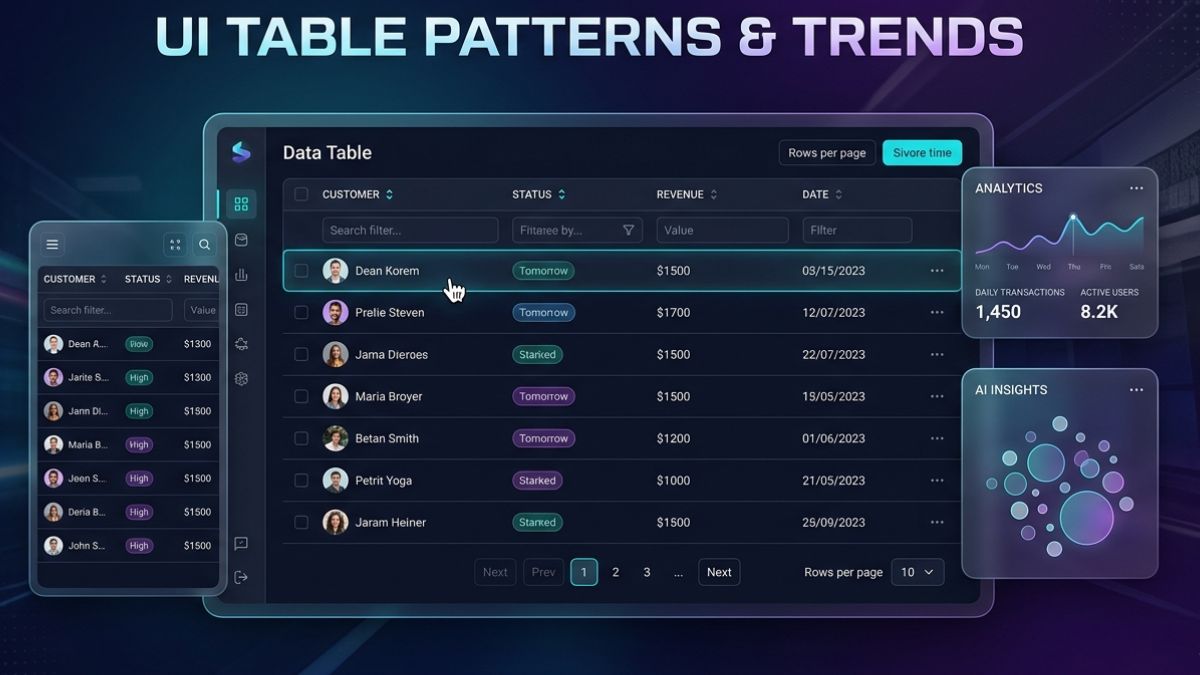
Tables are among the most critical elements of web interfaces, helping designers and developers organize and communicate complex data with ease. As digital experiences continue to evolve, patterns and techniques for table UI are evolving to meet better user needs and the requirements of responsive, accessible, and engaging web design.
Whether you are working on a dashboard, a data-driven application, or even a simple product comparison, the design and usability of tables can significantly impact how information is perceived and acted upon. Modern web design trends emphasize not only the functional aspects of tables but also their ability to delight users through elegant, interactive presentations.
The growing demand for accessible and mobile-friendly websites has also shaped how tables are styled and structured. Instead of static grids, tables now adapt to a variety of screen sizes and user needs. These refinements make it possible for information to shine, even when space and attention spans are limited.
This article explores why tables are important in web design, highlights modern table trends, and provides best practices to ensure that your table designs are effective and future-proof.
Importance of Tables in Web Design
Tables provide a reliable structure for displaying data, allowing users to quickly scan, compare, and interpret information. In digital applications such as financial reports, inventory management, analytics dashboards, and e-commerce platforms, tables help break down complex information into manageable, actionable pieces.
For organizations that regularly present data, a well-designed table can increase comprehension and reduce user errors. Poorly structured tables, on the other hand, can cause confusion and hamper decision-making. As digital experiences become more data-centric, the thoughtful layout of tables is essential for usability.
According to Nielsen Norman Group’s usability research, organizing data with clear labeling, intuitive interaction, and proper alignment enables users to extract and evaluate information more efficiently. This impact highlights why table design remains a core component of user interface strategy.
Current Trends in Table Design
Modern table UI design is strongly influenced by the need to balance functionality and aesthetics. Today, these trends dominate in table patterns:
- Minimalist Design: Removing unnecessary borders, using soft color palettes, and reducing visual clutter makes the content the central focus. This approach helps tables integrate seamlessly into modern, clean user interfaces.
- Responsive Tables: With users accessing content on desktops, tablets, and smartphones, tables need to adapt to various screen sizes. Responsive tables use flexible grids, collapsible rows, and scrollable containers to ensure every column and row is reachable on any device.
- Interactive Elements: Including controls for sorting, filtering, and paginating enables users to manipulate data directly within the table. Features such as sticky headers and expandable rows increase usability, especially for large datasets.
- Visual Enhancements: Iconography, color coding, and hover effects help users interpret information at a glance. For instance, green and red indicators can highlight performance metrics, and icons can indicate actions such as editing or downloading.
These patterns not only improve the user experience but also help users draw meaningful insights from visualized data. Comprehensive case studies and trend analyses can be found on resources like Smashing Magazine.
Best Practices for Effective Table Design
Adopting best practices is essential to ensure tables do not just look appealing but provide a functional benefit to all users:
- Prioritize Readability: Choose legible fonts, maintain adequate cell padding, and use alternating row colors to guide users through large tables more easily.
- Ensure Accessibility: Use semantic HTML table elements, add descriptive headers, and provide sufficient color contrast for text and background. Screen readers rely on properly structured tables to convey data to users with visual impairments. For detailed guidelines, refer to the W3C Web Accessibility Initiative.
- Optimize Performance: Limit client-side processing of large datasets by using pagination or lazy loading. Reduce heavy scripts that might slow down rendering, especially on mobile devices.
- Test Across Devices: Regularly verify that your tables render consistently on major browsers and adapt well to all device types. Responsive design is crucial for usability in today’s multi-device landscape.
Following these practices can substantially increase table effectiveness, user satisfaction, and compliance with accessibility standards.
Conclusion
Tables will remain a fundamental part of web interfaces as long as structured data presentation is needed online. With modern table design trends focusing on minimalism, responsiveness, and interactive features, designers can ensure their tables are both visually compelling and easy to use. By staying aware of emerging best practices, web professionals can deliver varied and rich digital experiences that empower users to engage with and act upon the data presented.