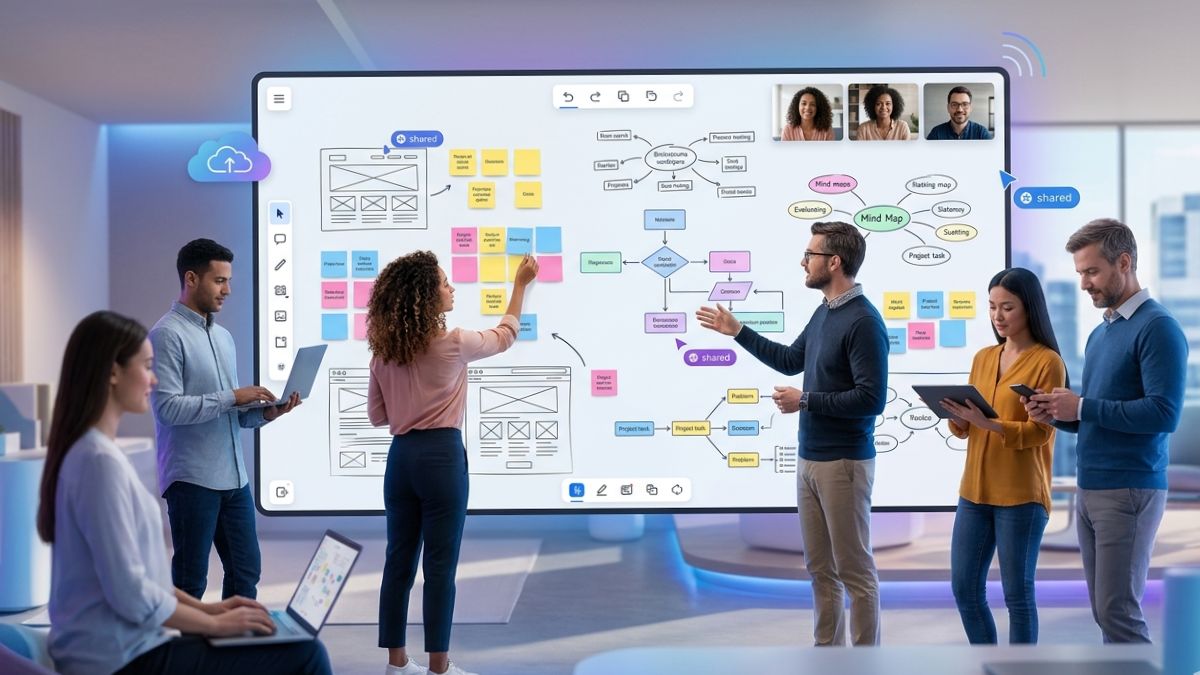
In today’s digital era, remote work has become a mainstay. To maintain team cohesion and productivity, organizations are turning to effective collaboration tools that transcend physical boundaries. One game-changer in this landscape is the virtual whiteboard for teams. These platforms create a shared, digital environment that empowers groups to brainstorm, map out projects, and stay aligned, no matter where individual members are located.
As distributed work continues to grow, collaborative online whiteboards have proven indispensable for many companies. With features that mimic the experience of in-person ideation sessions, these tools make it easy for teams to collectively shape ideas, refine strategies, and keep projects on track when face-to-face meetings aren’t possible.
Understanding Collaborative Online Whiteboards
Collaborative online whiteboards are cloud-based platforms that replicate traditional whiteboards, allowing real-time interaction among team members. Users can add text, shapes, and diagrams using drag-and-drop features and templates for efficient brainstorming. Advanced functionality includes embedding images, attaching documents, and integrating with productivity apps, making them effective for creative collaboration and project planning, particularly for remote teams. Additionally, digital whiteboards offer permanence and accessibility, preserving the history of ideas for easy tracking and reference in future meetings.
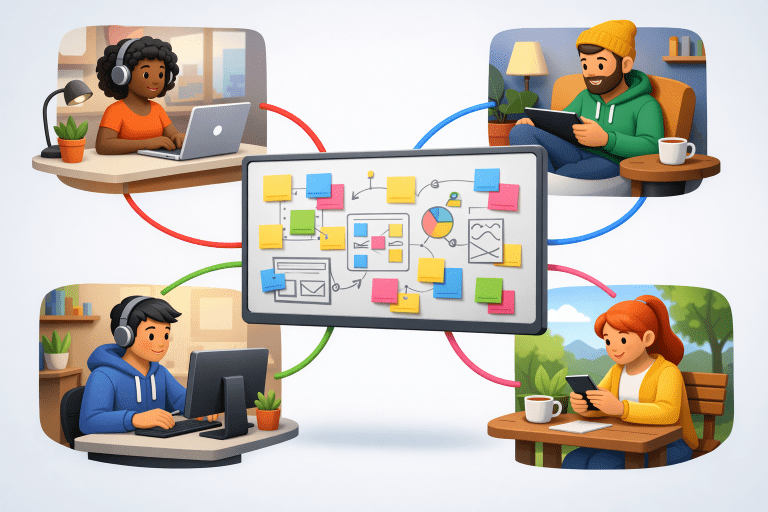
Some platforms now allow offline access or synchronization, further increasing flexibility for team members who may be temporarily disconnected from the internet. Such features ensure no one is left out of the collaboration process, further strengthening inclusivity and participation.
Benefits for Remote Teams
Adopting collaborative whiteboards delivers numerous advantages for distributed teams:
- Real-Time Collaboration: These digital canvases enable multiple users to contribute simultaneously. Geographical barriers no longer hinder the creative process, as all team members can see updates and feedback in real time.
- Accessibility: As online whiteboards are hosted in the cloud, they can be accessed from anywhere with an internet connection. This enables participation across time zones and flexible working hours.
- Workflow Integration: Many whiteboard platforms offer integrations with popular project management and communication apps, streamlining the transfer of ideas from brainstorming to execution.
- Documentation and Traceability: Whiteboards automatically save the ongoing progress of projects, discussions, and planning sessions, providing detailed records for future reference and accountability.
With this accessibility, remote teams gain the flexibility and immediacy needed to keep projects moving and creativity flowing effectively.
Another underappreciated benefit is how online whiteboards foster inclusive participation. Team members who might hesitate to speak up in traditional settings can easily contribute visually or anonymously, ensuring a diversity of ideas enters the decision-making process. This democratization of collaboration can lead to richer discussions and more innovative results.
Popular Platforms and Their Features
Several major platforms have emerged, each offering unique capabilities for remote collaboration:
- Miro: Widely adopted for its extensive library of templates, Miro integrates with tools like Slack, Jira, and Google Workspace. Its real-time editing makes it well-suited for everything from brainstorming to agile planning.
- Stormboard: This platform uses AI to help teams collect, organize, and prioritize ideas faster. Stormboard’s automation features boost productivity during collaborative sessions.
- ClickUp Whiteboards: Known for its flexibility, ClickUp offers a native whiteboard that allows visual collaboration and direct integration with tasks, docs, and calendars. This helps teams move seamlessly from ideation to implementation.
Some platforms also cater to specialized industries. For example, education-focused whiteboards offer features that support interactive learning, group projects, and real-time student feedback, especially in virtual or blended classrooms. Others provide security and compliance tools suited for businesses that need to protect sensitive information within collaborative sessions.
Implementing Whiteboards in Your Workflow
- Assess Team Needs: Evaluate your team’s collaboration habits and project requirements before selecting a platform. Consider workflow complexity, preferred integrations, and user experience.
- Provide Training: Make sure every team member knows how to use the tools effectively. Scheduled onboarding sessions and access to training resources ensure everyone can participate fully.
- Establish Guidelines: Set clear usage standards to promote organization and ensure documents remain easy to navigate. Best practices might include labeling, color coding, and regular whiteboard cleanup.
- Iterate and Gather Feedback: Continually refine how your team uses digital whiteboards by regularly collecting input on features, usability, and overall workflow fit. Iteration helps ensure continued value as needs evolve.
Challenges and Considerations
Despite their strengths, digital whiteboards present some hurdles:
- Learning Curve: Not all team members may be immediately comfortable with the interface or digital collaboration in general. Allow time for adaptation and provide ongoing support.
- Over-Reliance: Relying solely on digital platforms could make it easy to overlook the benefits of direct communication. Maintain balance by using whiteboards to augment, not fully replace, face-to-face or video interactions.
- Security Concerns: Companies handling sensitive data must ensure their selected whiteboard complies with organizational and regulatory privacy standards.
An additional consideration is device compatibility. To maximize participation, always verify that your chosen whiteboard solution works seamlessly across desktops, tablets, and smartphones, so all team members can join in, regardless of their preferred device.
Future Trends in Collaborative Tools
The collaborative tool landscape in remote work is rapidly changing. Emerging trends include enhanced artificial intelligence that provides idea suggestions and automates board organization, as well as deeper integrations with advanced project management suites. The rise of virtual and augmented reality may eventually make online whiteboards even more immersive, drawing teams closer despite physical separation. These innovations are poised to make collaboration more intuitive, inclusive, and productive for all participants.
Conclusion
In summary, collaborative online whiteboards empower remote teams to innovate and execute efficiently. By carefully choosing a platform and integrating it with your communication culture, you can overcome the challenges of distance and keep your team connected, creative, and productive.